Multi-Vendor Car Wash Management System | Booking & POS Platform
A Complete Digital Platform for Car Wash Businesses, Customers & Operations
Project Overview
Managing a modern car wash business involves much more than accepting appointments. Businesses need to manage bookings, service bays, staff, vehicles, inventory, customers, payments, invoices, job cards, and daily operations.
For a multi-vendor platform, the complexity increases even further.
The platform needs to connect multiple independent car wash businesses while giving the central administrator complete control over vendors, customers, commissions, subscriptions, finances, marketing, disputes, and overall platform performance.
We designed and developed a complete Multi-Vendor Car Wash Management Ecosystem consisting of four connected products:
Super Admin Management Portal
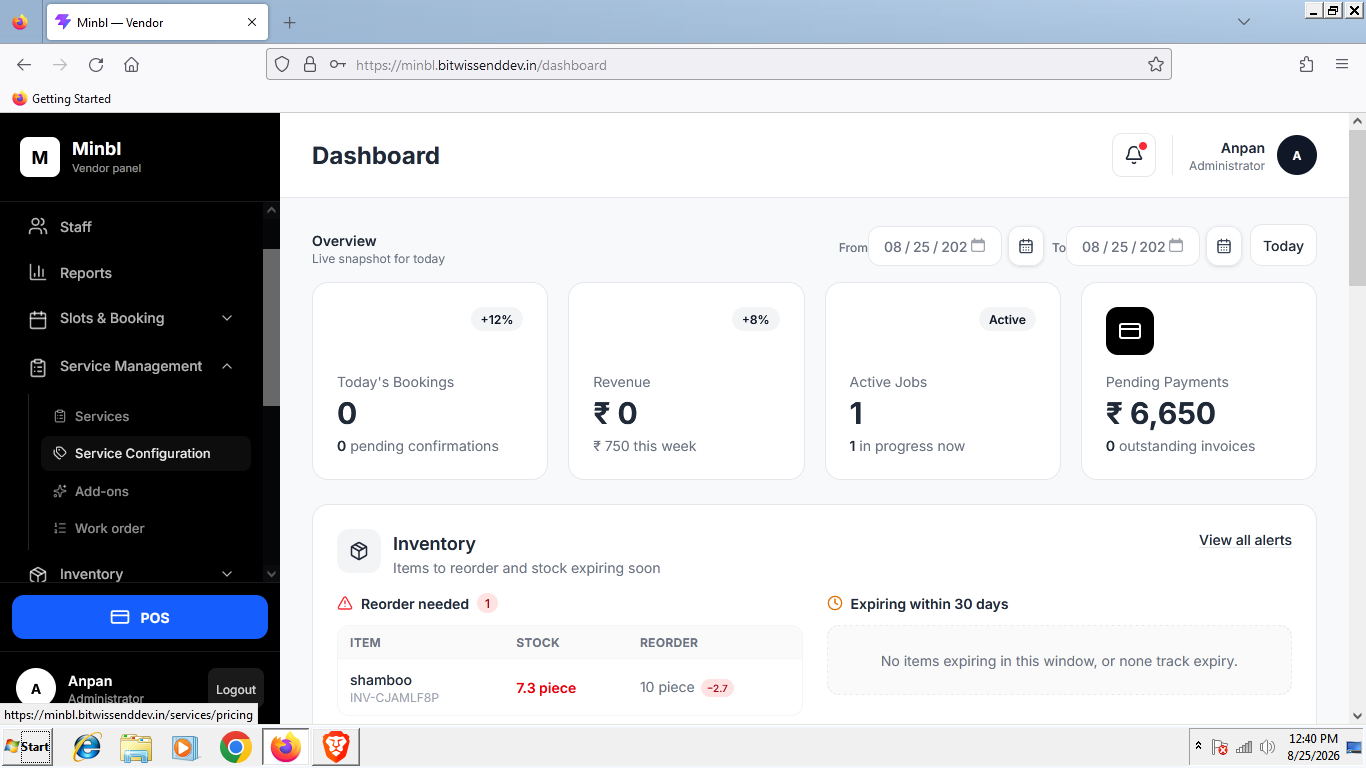
Vendor Management Portal
Customer Mobile Application
Vendor Mobile Application
Together, these systems create a centralized platform that connects customers with car wash businesses while helping vendors manage their complete day-to-day operations.
The Challenge
Traditional car wash businesses often rely on disconnected systems and manual processes to manage appointments, customers, staff, vehicles, payments, and services.
For a platform supporting multiple car wash vendors, the challenge was to create a solution capable of managing both the marketplace side of the business and the individual operational requirements of every vendor.
The platform needed to support:
Multiple independent car wash vendors
Online customer bookings
Walk-in and POS bookings
Configurable service slots
Multiple service bays
Staff and operational management
Vehicle and job tracking
Service and add-on configuration
Inventory control
Commission and subscription management
Payments and vendor payouts
Customer reviews and disputes
Platform analytics and reporting
The result was a scalable ecosystem where every stakeholder has access to the tools relevant to their role.
The Solution
One Connected Ecosystem. Four Powerful Experiences.
The platform was designed around four connected interfaces.
Super Admin Portal
A centralized control center for managing the complete marketplace, vendors, customers, finances, marketing, subscriptions, and platform operations.
Vendor Management Portal
A complete business management system enabling car wash vendors to manage their stores, services, staff, bookings, POS operations, inventory, vehicles, and daily workflow.
Customer Mobile Application
A simple and convenient way for customers to discover car wash services, select a vendor, choose a date and available time slot, customize services, and manage bookings.
Vendor Mobile Application
A mobile operational tool allowing vendors and staff to manage bookings, update job statuses, access job cards, and monitor ongoing operations from anywhere.
Platform Ecosystem
The platform creates a seamless flow between customers, vendors, and administrators.
Customer Mobile App
Discover → Select Vendor → Choose Services → Add Extras → Select Date & Slot → Book
↓
Vendor Platform
Receive Booking → Confirm → Check-In Vehicle → Create Job Card → Assign Staff → Update Service Status → Complete & Deliver
↓
Super Admin Platform
Monitor → Manage → Analyze → Resolve → Calculate Commission → Process Payouts
Every booking and operational activity becomes part of one connected ecosystem.
Super Admin Management Portal
Complete Control Over the Entire Platform
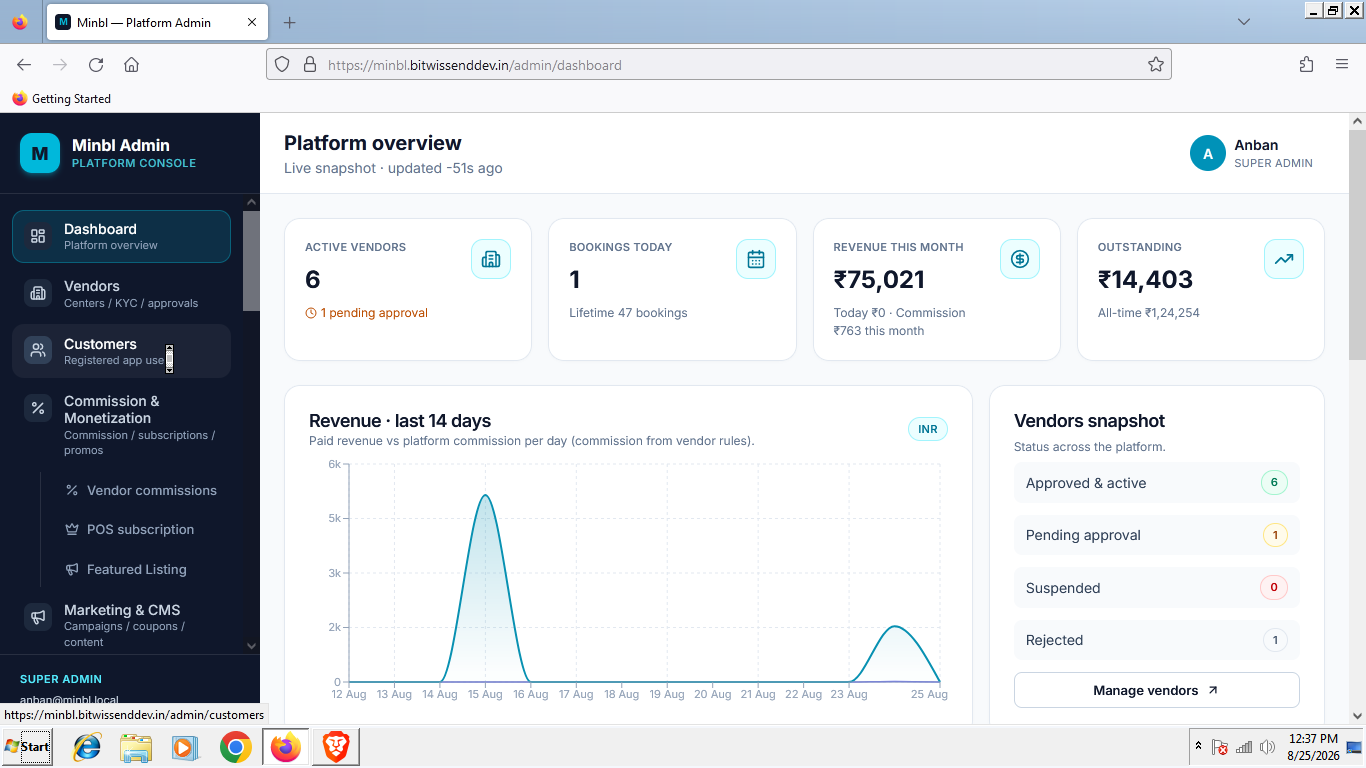
The Super Admin Portal acts as the central command center of the multi-vendor ecosystem.
Administrators can monitor marketplace activity, manage vendors and customers, configure commissions, control subscriptions, review financial performance, resolve disputes, and analyze key business metrics.
Vendor Management & Approval
The platform provides a complete workflow for onboarding and managing car wash vendors.
Administrators can:
Review vendor registration requests
Approve or reject vendor applications
Activate or suspend vendor accounts
Manage vendor profiles
Manage multiple vendor locations
Monitor vendor performance
Review booking activity
Configure vendor commissions
Manage vendor subscriptions
Track vendor financial activity
Monitor customer ratings and reviews
This allows the platform administrator to maintain quality and control while scaling the marketplace.
Customer Management
A centralized customer management system provides visibility into all customers using the platform.
Administrators can manage:
Customer profiles
Registration details
Booking history
Vehicles
Transaction history
Reviews and ratings
Customer activity
Account status
Support and dispute history
This provides a complete overview of the customer journey across multiple vendors.
Commission Management
The platform includes a flexible commission management system.
Administrators can configure and monitor:
Platform commission
Vendor-specific commission
Service-based commission
Booking transaction values
Commission earnings
Vendor payable amounts
Financial summaries
This ensures that marketplace revenue and vendor earnings can be accurately calculated and managed.
Marketing & CMS Management
The platform includes tools for managing marketing content and customer engagement.
Administrators can manage:
Homepage banners
Promotional campaigns
Offers and discounts
Featured vendors
Featured services
Categories
Static pages
FAQs
Terms and policies
Notifications
Marketing content
The CMS enables administrators to update customer-facing content without requiring development changes.
Analytics & KPI Dashboard
The admin dashboard provides a high-level overview of the platform’s performance.
Key metrics include:
Total customers
Active vendors
Total bookings
Completed bookings
Cancelled bookings
Platform revenue
Commission earnings
Vendor performance
Customer growth
Booking trends
Service popularity
Interactive reports and visual dashboards help administrators identify business trends and monitor platform growth.
Reviews & Dispute Management
Customer experience is managed through a centralized review and dispute system.
Administrators can:
Monitor customer reviews
Review vendor ratings
Identify service issues
Manage complaints
Review booking-related disputes
Track dispute status
Communicate resolution outcomes
This creates greater accountability across the marketplace.
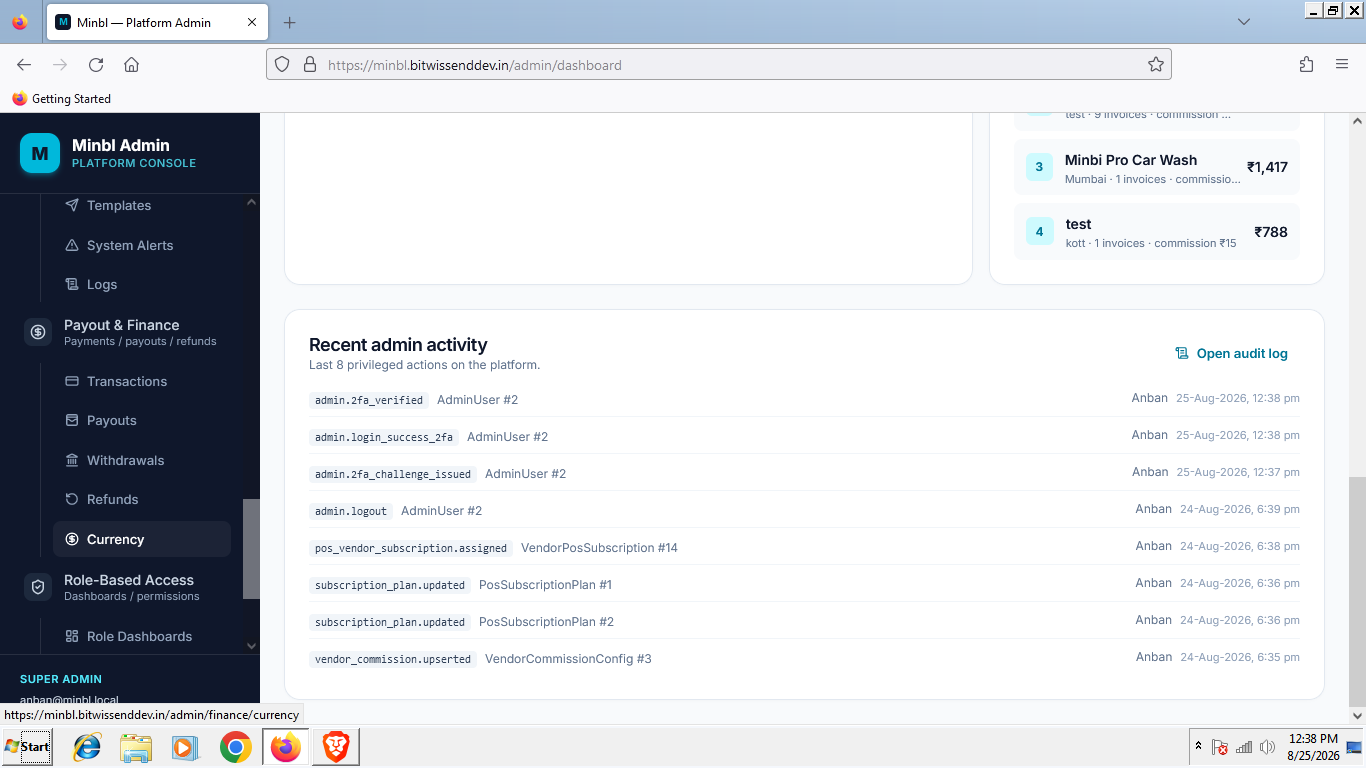
Payout & Finance Management
The financial management system provides visibility into money flowing through the platform.
Features include:
Vendor earnings
Platform commission
Pending payouts
Completed payouts
Transaction tracking
Payment summaries
Financial reconciliation
Refund monitoring
Vendor settlement management
Reports
Detailed reports can be generated across different areas of the business.
Including:
Booking reports
Vendor reports
Customer reports
Revenue reports
Commission reports
Payout reports
Service performance reports
Cancellation reports
Operational reports
Role-Based Access Control
Different administrators can be given access based on their responsibilities.
The system supports:
Custom roles
Permission management
Module-level access
User management
Restricted financial access
Operational access control
This ensures that users only access the information and functionality relevant to their role.
Vendor Management Portal
A Complete Operating System for Car Wash Businesses
The Vendor Portal goes beyond simple booking management.
It provides vendors with a complete system to manage their car wash operations from customer bookings to vehicle delivery.
Vendor Registration & Login
Vendors can register their business and create an account within the platform.
The onboarding process includes:
Business registration
Store information
Contact details
Required documentation
Account verification
Admin approval
Subscription activation
Once approved, vendors can access their business management dashboard.
Staff & Permission Management
Vendors can manage their internal teams and define access levels for different employees.
Features include:
Add staff members
Manage employee profiles
Assign roles
Configure permissions
Control system access
Assign operational responsibilities
For example, a manager may have access to bookings and reports, while operational staff may only access assigned jobs.
Slot Configuration & Booking Management
Vendors can configure their booking availability based on their actual operational capacity.
They can manage:
Working days
Opening hours
Available booking slots
Slot duration
Booking capacity
Bay availability
Blocked dates
Holiday schedules
This helps prevent overbooking and ensures that the booking system reflects real business availability.
Service Management
Vendors can create and manage the services offered by their car wash business.
Services can include:
Exterior wash
Interior cleaning
Full detailing
Premium wash packages
Polishing
Ceramic coating
Specialized vehicle services
Each service can be configured with its own:
Name
Description
Price
Duration
Availability
Service & Add-On Configuration
Customers can customize their booking by selecting additional services.
Examples include:
Interior vacuuming
Tire cleaning
Engine cleaning
Wax treatment
Dashboard cleaning
Premium detailing
Vendors can configure available add-ons, pricing, and service combinations.
Store Settings
Vendors have complete control over their business information.
They can manage:
Store name
Contact information
Address
Working hours
Service availability
Business policies
Booking rules
Operational settings
Bay Management
Car wash bays can be configured to match the physical capacity of the business.
Vendors can manage:
Number of bays
Bay names
Bay availability
Bay status
Service capacity
Vehicle allocation
This allows bookings and operational jobs to be managed according to available resources.
Inventory Management
The vendor system includes inventory management for operational supplies and products.
Vendors can track:
Products
Consumables
Available stock
Stock usage
Low inventory levels
Inventory updates
This helps businesses maintain better control over operational resources.
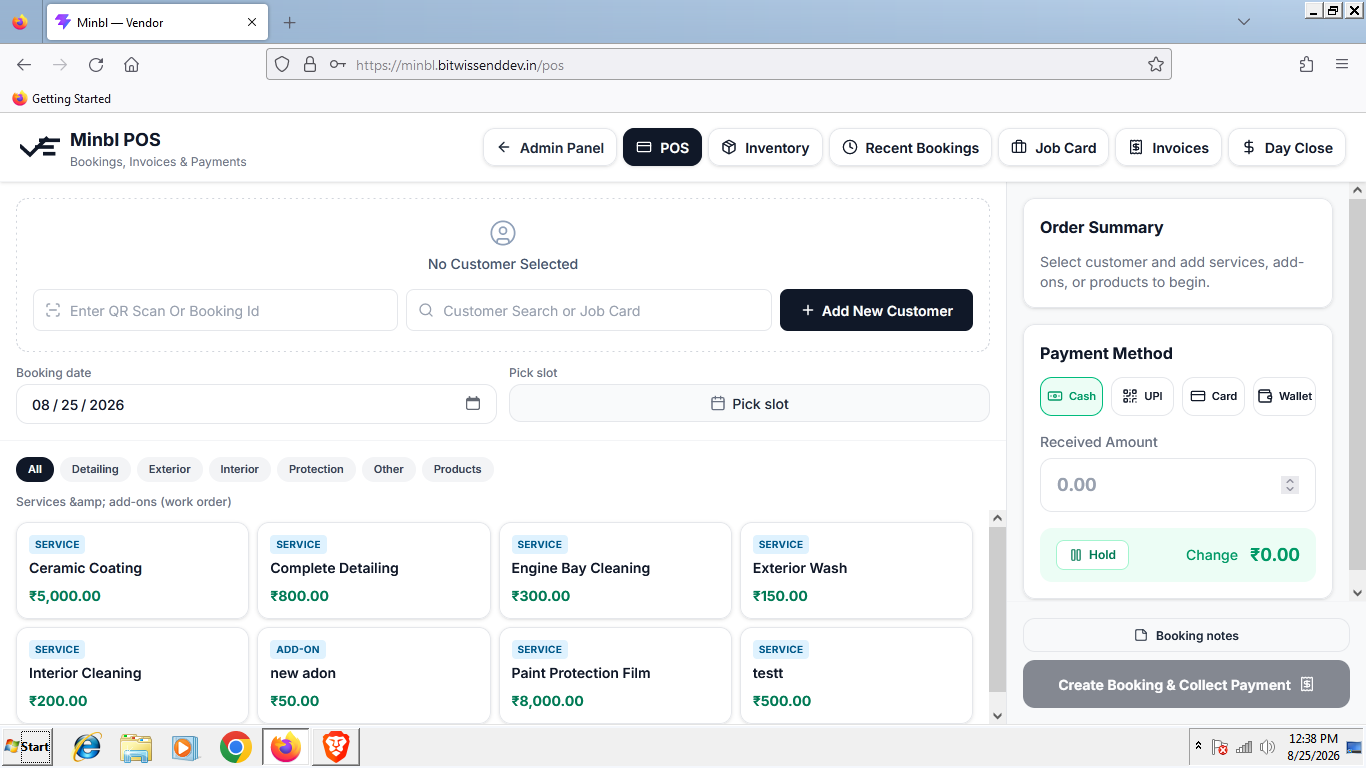
Integrated POS System
Managing Online and Walk-In Customers From One Place
The Point of Sale system allows vendors to manage customers who walk directly into the car wash facility.
The POS supports:
Walk-in bookings
Existing customer selection
New customer creation
Vehicle registration
Service selection
Add-on selection
Booking creation
Payment management
Invoice generation
This ensures that online and offline bookings are managed through one unified system.
Job Card Management
Every vehicle can move through a structured service workflow.
Once a booking is created, the vendor can generate a detailed job card containing:
Customer details
Vehicle details
Selected services
Add-ons
Assigned staff
Assigned bay
Booking information
Service instructions
Job progress
The job card acts as the operational record for the vehicle throughout the service process.
Vehicle & Service Status Management
The system provides real-time visibility into the progress of every vehicle.
A vehicle can move through multiple operational stages:
Booked
↓
Checked In
↓
In Process
↓
Completed
↓
Ready for Delivery
↓
Delivered
Staff and vendors can update the status as the vehicle moves through the car wash workflow.
This provides real-time operational visibility and helps customers stay informed about their booking.
Invoice Creation
Invoices can be generated directly from completed bookings and POS transactions.
The system supports:
Service charges
Add-on charges
Taxes
Discounts
Payment information
Customer details
Booking details
This creates a complete transaction record for both the customer and the vendor.
Subscription Management
The platform supports subscription-based access for vendors.
Administrators can configure subscription plans with different levels of access and functionality.
Subscription settings may include:
Plan name
Subscription duration
Pricing
Included features
Vendor limits
Access permissions
Renewal settings
This creates a scalable SaaS-style business model for the platform.
Customer Mobile Application
Book Car Wash Services in Just a Few Steps
The customer application was designed to make the booking process simple and convenient.
Customers can discover available vendors, compare services, select a preferred date and time, and complete their booking from their mobile device.
Customer Journey
01. Discover
Customers can browse available car wash vendors and services.
02. Select Vendor
The customer selects the preferred car wash provider.
03. Choose Services
Available services and packages are displayed.
04. Add Extras
Customers can customize their booking with additional services.
05. Select Vehicle
The customer selects or adds a vehicle.
06. Choose Date & Time
Available dates and vendor-configured booking slots are displayed.
07. Confirm Booking
The customer reviews the booking and completes the process.
Customer App Features
The application includes:
Registration and login
Vendor discovery
Vendor profiles
Service browsing
Service packages
Add-on selection
Vehicle management
Date selection
Time slot selection
Online booking
Booking history
Real-time booking status
Notifications
Customer profile management
Reviews and ratings
Vendor Mobile Application
Managing Operations Beyond the Desktop
The Vendor Mobile App provides access to essential operational tools while on the move.
Vendors and authorized staff can manage their day-to-day operations directly from a mobile device.
Features include:
Secure login
Booking notifications
View upcoming bookings
Accept and manage bookings
Customer details
Vehicle information
Access job cards
Update vehicle status
Update service progress
View assigned jobs
Monitor daily operations
A Connected Booking-to-Delivery Workflow
The complete ecosystem supports a seamless operational journey.
Step 01 — Customer Books
The customer selects a vendor, vehicle, services, add-ons, date, and available time slot.
Step 02 — Vendor Receives Booking
The booking becomes available in the Vendor Portal and Vendor Mobile Application.
Step 03 — Vehicle Check-In
When the vehicle arrives, staff update its status to Checked In.
Step 04 — Job Card Creation
A detailed job card is created with the required services, vehicle information, assigned staff, and operational instructions.
Step 05 — Service Begins
The vehicle status changes to In Process.
Step 06 — Service Completion
Once all services are completed, the status is updated to Completed.
Step 07 — Ready for Delivery
The vehicle is prepared for collection and marked as Ready for Delivery.
Step 08 — Vehicle Delivered
Once handed back to the customer, the booking is marked as Delivered.
The Result
The final solution transformed a traditionally fragmented car wash operation into a connected digital ecosystem.
Instead of managing bookings, customers, services, staff, inventory, payments, and vehicles through separate processes, the platform brings everything together.
One Platform for Every Stakeholder
For Administrators
Complete marketplace visibility and control.
For Vendors
A powerful system for managing their entire car wash business.
For Staff
Clear workflows, job assignments, and real-time operational updates.
For Customers
A simple and convenient way to discover, customize, and book car wash services.
Designed to Scale
The platform was designed as a scalable multi-vendor ecosystem capable of supporting:
Multiple car wash businesses
Multiple store locations
Growing customer bases
Increased booking volumes
Subscription-based vendor onboarding
Flexible commission structures
Centralized financial management
Expanding service categories
What started as a car wash booking solution evolved into a complete digital operating ecosystem for multi-vendor car wash businesses.